Table of Contents
Every teacher I know has had the same week. Admin says everyone should be “using AI,” without ever saying what that means. A student turns in an essay that’s a little too clean. You try a chatbot yourself, it hands you a quiz with two wrong answers, and you quietly decide this whole thing isn’t worth the risk.
If that’s where you are, this guide is for you. Not the version of AI in education that lives on conference slides — the version that has to survive a Tuesday with thirty kids, a copier that’s jammed, and a parent email you’ve been avoiding since Friday.
The goal here isn’t to talk you into anything. It’s to give you a way to think about AI that protects the part of teaching that matters, so you can use these tools where they help and ignore them where they don’t. Everything below is the short version of the approach in The Human–AI–Human Classroom. You can start using it today.
The one question that settles most of it
Before you use AI for anything in your classroom, ask: Does this protect learning, or replace it?
That’s the whole filter. AI that drafts a word bank so a struggling reader can access a text is protecting learning. AI that writes the student’s paragraph for them is replacing it. Same tool, opposite outcomes — and the difference is entirely in how you use it.
Most of the panic around AI in schools comes from collapsing those two things into one. Teachers are told “AI is cheating” or “AI is the future,” and both are too blunt to be useful. The truth is quieter: AI is a tool that has to earn its place every time it’s used, and you’re the one who decides whether it has.
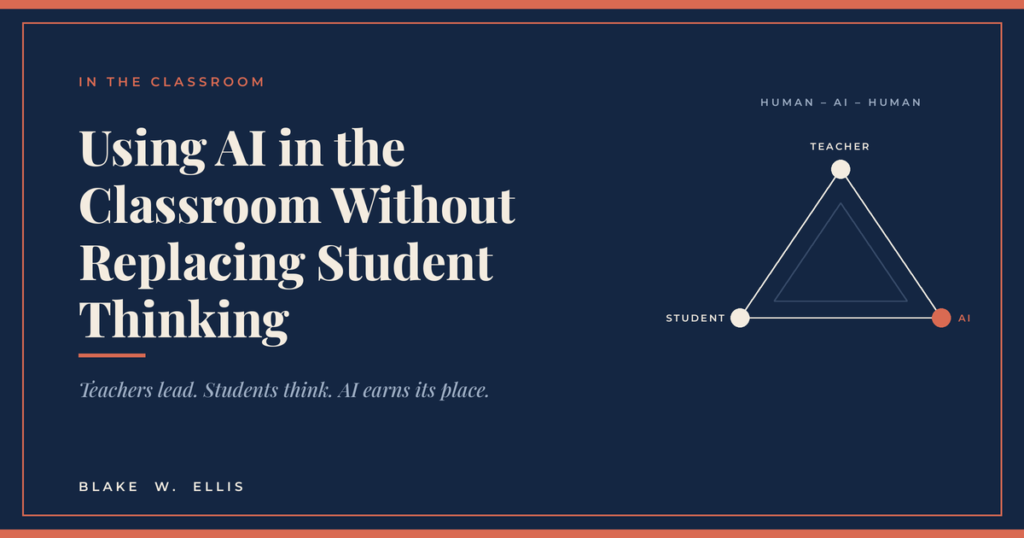
This is the core of what’s called the Human–AI–Human model: the human teacher sets the goal, the AI assists, and the human — teacher or student — stays responsible for the thinking. Picture a triangle with the teacher, the student, and the AI at the corners. The teacher is the longest side. That doesn’t change no matter how good the tool gets.
Scaffolding vs. substitution: the line you’re actually watching
If “protect or replace” is the question, scaffolding vs. substitution is how you answer it in practice.
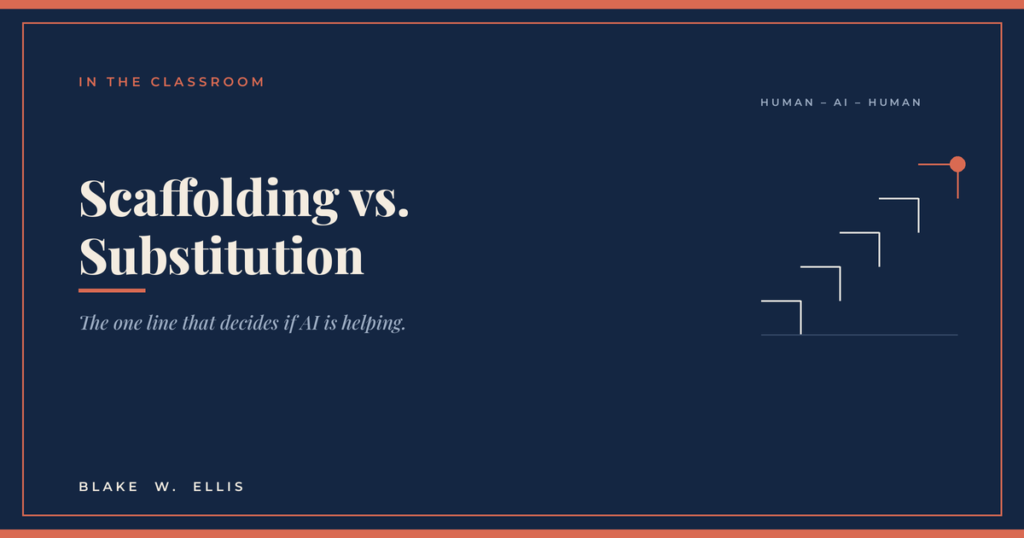
Scaffolding supports the student while they do the thinking. Substitution does the thinking for them. A sentence starter is a scaffold. A finished sentence is a substitution. A set of three thesis options the student has to choose between and defend is a scaffold. A thesis handed over ready to paste is a substitution.
The trap is that substitution often looks like help. It’s faster, it’s cleaner, and the student walks away with a better-looking product and a worse understanding. Your job — the irreplaceable part — is to design AI use so the student still has to do the cognitive work that the assignment was supposed to build.
A quick test for any AI-assisted task: after the AI helps, what thinking is left for the student to do? If the honest answer is “not much,” it’s substitution, and you redesign it.
(For the longer version of this, see our post on telling scaffolding from substitution in real assignments.)
Set the rules before students touch it: the classroom AI charter
Most AI conflict in classrooms comes from one source — students didn’t know what “allowed” meant before they started. A short classroom AI charter fixes that. It rests on three pillars:
- Norms — what AI use is allowed for this class, and for which kinds of work.
- Transparency — students disclose when and how they used AI, so their thinking stays visible.
- Consent and privacy — age-appropriate, plainly stated rules about what gets entered into these tools and what doesn’t.
The charter doesn’t have to be a legal document. It can be ten plain-language bullet points the class can actually read, paired with a quick “AI note” on individual assignments that says whether AI is off, optional, or expected — and what the non-AI option is for students who’d rather not use it.
What changes by grade matters too. Upper-elementary students are learning to ask for help without outsourcing. Middle schoolers can add context and request hints instead of answers. High schoolers can prompt for rubric-aligned critique without letting the tool ghostwrite. Same principle, different guardrails.
How to write a prompt that actually works: the CORE framework
When teachers say “I tried AI and it gave me junk,” the tool usually isn’t the problem. The request was vague, so the model guessed — confidently. A repeatable structure fixes that. In the books it’s called CORE:
- C — Context: the situation, content, constraints, and audience. Grade level, the standard, your students, the time you have.
- O — Outcome: exactly what you want produced, in what format. “A 4-row checklist,” not “help with conclusions.”
- R — Role: the stance the AI should take — coach, editor, quiz writer — and what it should not do. This is where you write the anti-substitution rule: “Ask me three questions before giving an answer,” or “Give feedback only; do not rewrite.”
- E — Evaluation: the criteria the output must meet, and a request that the AI check its own work. “One best answer per item, no invented statistics.”
CORE works because it narrows the model’s guessing space. You’re deciding which blanks are acceptable to leave and which must be filled. Once you have the structure, four dials do most of the fine-tuning: level (grade band, reading complexity), length (word count, time-on-task), voice (your calm, no-hype teacher tone), and constraints (format rules, “ask three questions first,” “no invented citations”).
And don’t expect a perfect result on the first try. Good prompting is a short loop, not a magic spell: draft → diagnose → direct. Write the minimum viable prompt, look at what’s wrong, then give one targeted follow-up that fixes the real problem. Three rounds usually gets you something you can use tomorrow.
(New to prompting? Start with our beginner walkthrough of the CORE method.)
Always verify: the step that protects you
This is the rule that makes everything else safe to do: nothing the AI produces reaches a student until a human has checked it.
AI is fluent, which makes it convincing even when it’s wrong. It will invent a statistic, miscount the questions you asked for, or quietly state something false in a confident voice. So before any AI output goes into a lesson, a handout, or a grade, run a quick verification pass:
- Accuracy — are the facts, math, and answers actually right?
- Alignment — does it match the standard and the thinking you wanted?
- Level — is it actually at the reading and cognitive level you asked for?
- Bias and tone — would you be comfortable with every student reading it?
This is the read-before-you-send test, and it’s non-negotiable. It’s also what separates a teacher using AI well from a teacher getting burned by it. The verification step is the price of admission — and it’s a lot cheaper than walking back a worksheet full of wrong answers in front of a class.
What this looks like across a normal week
Put together, here’s where AI tends to help in a real classroom — always with you verifying, and always with students still doing the thinking:
- Planning: unpacking a standard, drafting “I can” statements, building a lesson sequence you then adjust.
- Differentiation: tiering a task three ways, adapting a text’s reading level without lowering the thinking, building sentence frames and word banks.
- Assessment design: drafting rubric-aligned questions, generating misconceptions to test for, building a checklist students can self-assess against.
- Feedback: producing first-draft feedback against your rubric that you review and personalize — never feedback sent straight to a student unread.
- Teaching thinking: designing prompts that make students compare, defend, and revise rather than just retrieve an answer.
Notice what’s not on the list: handing the tool your judgment. AI drafts; you decide. It surfaces options; you choose. It speeds up the parts that were never the point, so you have more attention for the parts that always were.
Where to start this week
Pick one task — the lowest-stakes one you can find. A bell-ringer, a discussion question set, a single differentiated handout. Write it with CORE. Run the three-round loop. Verify it. See if it saved you real time and produced something you’d actually use.
If it did, do it again next week with something slightly higher-stakes. That’s the whole on-ramp. You don’t need to overhaul your classroom. You need one win you can trust.